Web Remote Control(Push)
Using the web remote control, you can control Arduino remotely by sending specific data to the Arduino on the Web. This application provides sending data by buttons on a web browser to your Arduino.
Using the Web Remote Control(Push)
-
Connect a shield to your local network.
-
Install the PHPoC library follow the instructions of Installing the Library.
-
Run the Arduino IDE.

-
Load the [WebRemotePush] example.
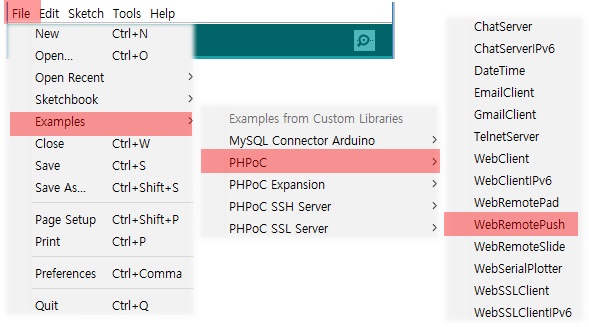
-
Upload the example code.

-
Run the serial monitor.

-
Check the IP address of the shield.
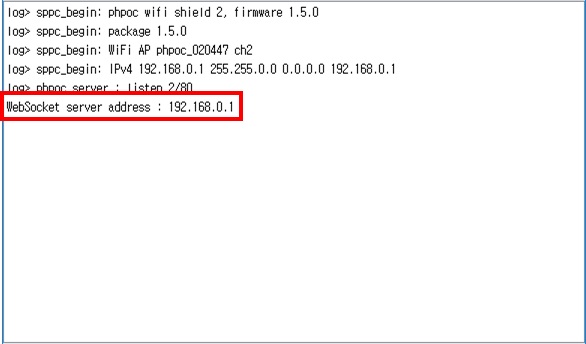
-
Run a web browser on your mobile or PC and connect to the web page of the shield.

-
Click the [Web Remote Control / Push].
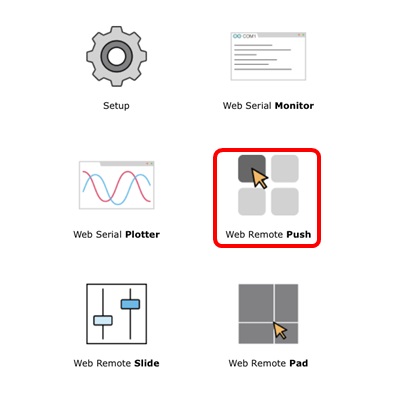
-
Click the [Connect] button.
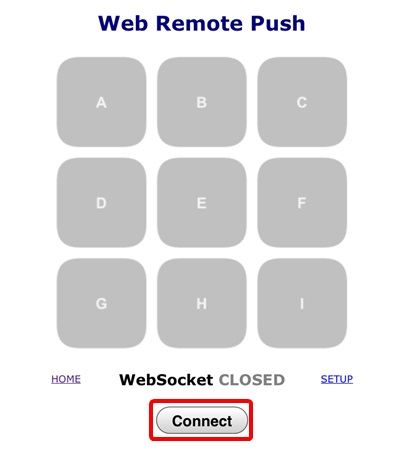
-
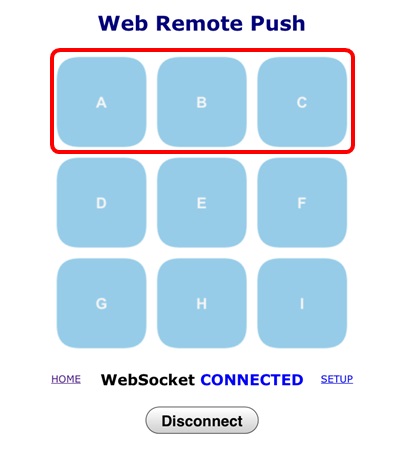
Press any of the A, B and C buttons.
-
Check the messages on the serial monitor.
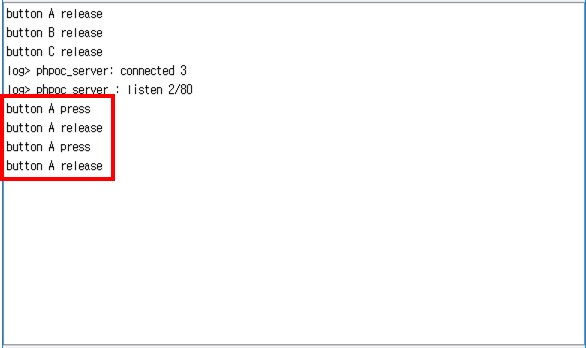
This example only processes for these three buttons (A, B, C). Add the rest of buttons to Arduino codes yourself.