Settings for Web Applications
You can set parameters of web applications.
Setting parameters of web applications
-
Connect to the web setup page of shield.
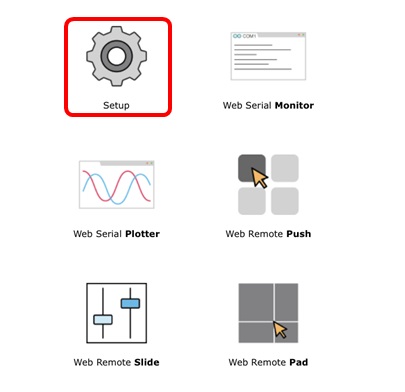
-
Move to the SETUP page.
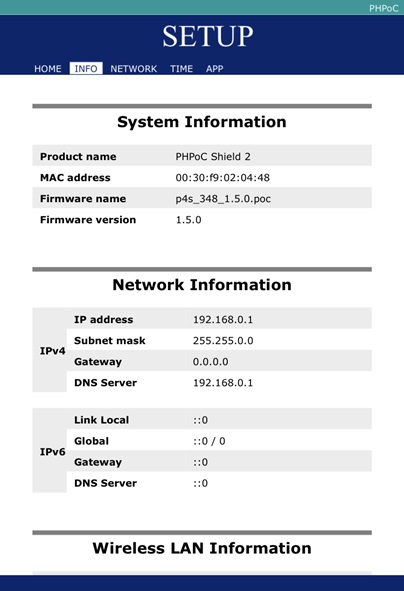
-
Click an application which you want to set on the [APP] tap.
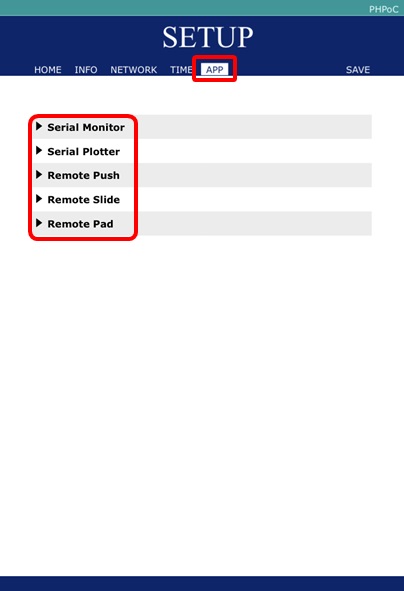
Setting Parameters
Web Serial Monitor
| parameter |
description |
| Baud Rate |
baud rate(9600 ~ 115200bps) |
| Width |
width of the area(px) |
| Height |
height of the area(px) |
Web Serial Plotter
| parameter |
description |
| Baud Rate |
baud rate(9600 ~ 115200bps) |
| Size Type |
types of size(Fixed Size or Full Screen) |
| Width |
width of the area(px) |
| Height |
height of the area(px) |
| Max Sample |
the number of maximum samples |
| Y-Axis Auto Scale |
types of auto scale on Y-axis(Fixed or Auto Scale) |
| Y-Fixed Min Bound |
maximum value of Y-axis |
| Y-Fixed Max Bound |
minimum value of Y-axis |
| X-Axis Title |
the title of X-axis |
| Y-Axis Title |
the title of Y-axis |
Web Remote Control(Push)
| parameter |
description |
| Width |
width of the area(px) |
| Button |
names of buttons, only appears if it has a name |
Web Remote Control(Slide)
| parameter |
description |
| Width |
width of the area(px) |
| Length |
height of the area(px) |
| Max value |
maximum value |
| Min value |
minimum value |
Web Remote Control(Pad)
| parameter |
description |
| Width |
width of the area(px) |
| Height |
height of the area(px) |