Manual Upgrade
Checking the Version of F/W
Check the current version of F/W before upgrading it.
-
Checking the current version of F/W
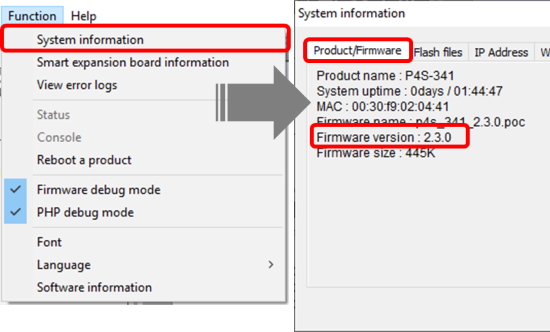
You can check it on the [Product/Firmware] tab from the [Function] > [System information] menu in the PHPoC Debugger.
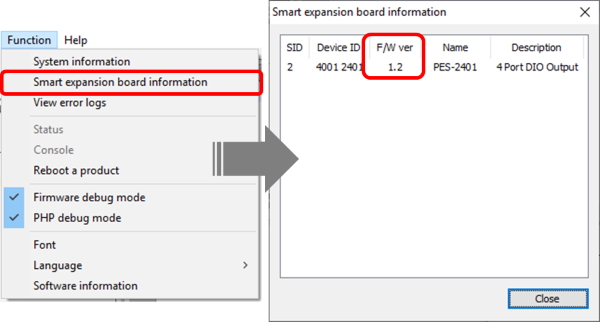
For a smart expansion board, you can check it in [Function] > [Smart expansion board information] menu.
-
Checking the latest version of F/W
You can check the latest version of F/W on download page on phpoc.com.
Procedure
- Download the latest F/W file.
- Connect PHPoC product to your PC via a USB cable.
- Run PHPoC Debugger and click connect (
 ) button after choosing the right COM port.
 -
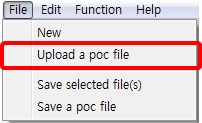
Click the [File] > [Upload a poc file] menu.
-
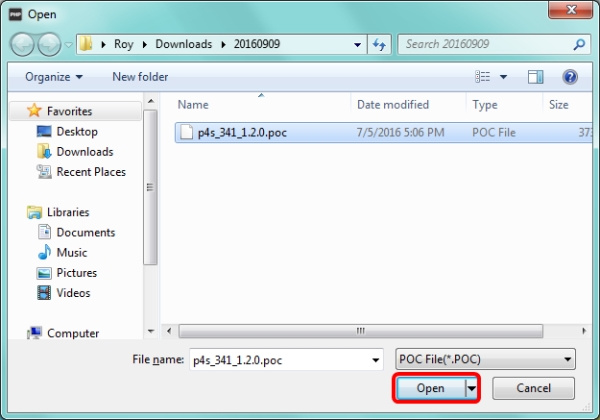
Select the F/W file and click the [Open] button.
-
Click the [Upload firmware]/[Upload Slave] button.
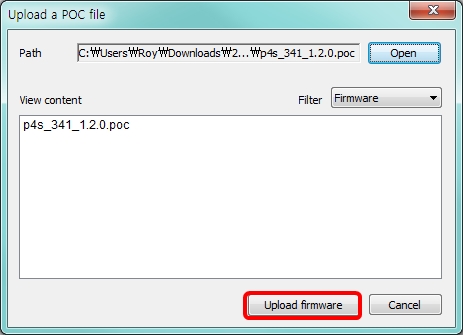
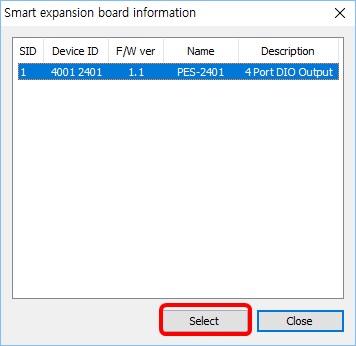
For a smart extension board, click the product to upload and press the [Select] button.
-
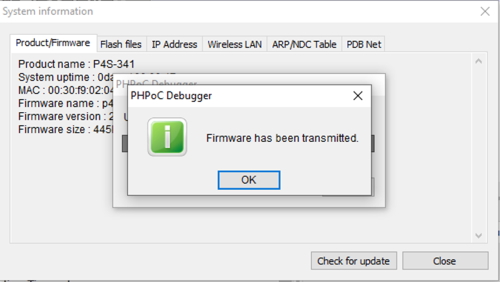
Click [OK] after uploading F/W is finished.